
How To Use The Add-In Beeper On A Bread Maker?
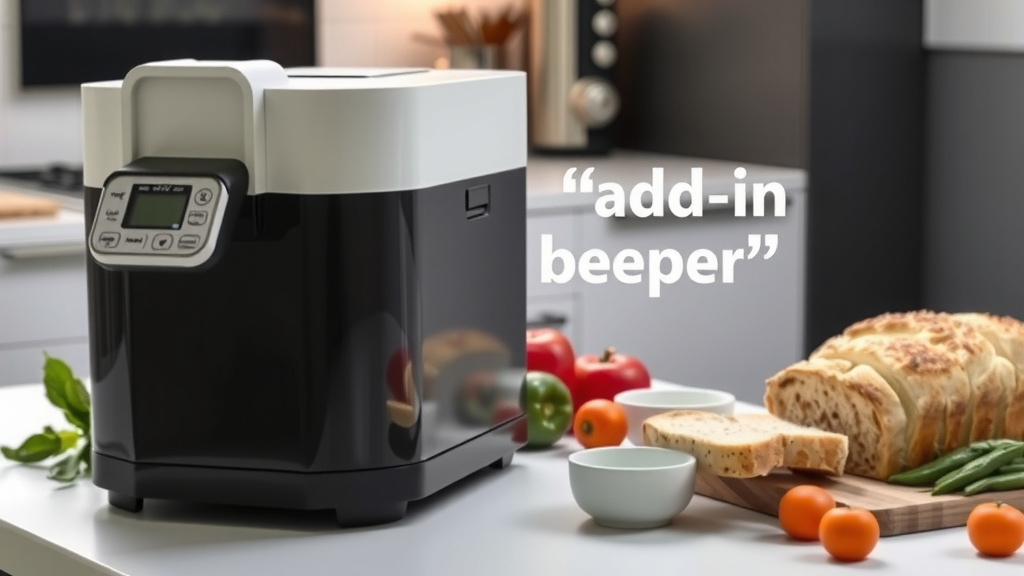
The add-in beeper on a bread maker signals when it’s the right time to add extra ingredients like nuts, fruits, or seeds to your dough.
You use the add-in beeper by simply waiting for the audible alert during the machine’s kneading cycle, then adding your chosen items to the dough manually.
- The add-in beeper alerts you to add ingredients for perfect dough inclusion.
- Simply wait for the sound, then open your bread maker and drop in your chosen additions.
- This timing prevents delicate items from getting over-processed or turning to mush.
- It ensures your mix-ins are evenly distributed throughout the bread.
- Always check your machine’s manual for specific beeper timings.
How To Use The Add-In Beeper On A Bread Maker?
To use the add-in beeper, simply listen for its distinct sound during the kneading cycle, then open the lid and carefully add your chosen ingredients.
This alert ensures ingredients are integrated at the optimal moment, preventing them from being over-processed or crushed.
Understanding Your Bread Maker’s Signals
Your bread maker is a smart kitchen companion, guiding you through the bread-making process.
The add-in beeper is one of its most helpful signals, designed to improve the texture and flavor of your homemade loaves.
It’s not just a random sound; it’s a precisely timed cue.
What Does the Beeper Sound Like?
Most bread makers use a series of short, audible beeps to signal the add-in stage.
It’s usually distinct from the startup or completion beeps.
Familiarize yourself with your machine’s specific alerts by checking your bread maker manual.
Why Does Timing Matter for Add-Ins?
Adding ingredients at the wrong time can change your bread’s texture significantly.
If you add nuts or dried fruit too early, the powerful kneading paddles might turn them into a fine powder or paste.
Wait too long, and they won’t mix in properly, leaving you with an uneven distribution.
The Science of Optimal Mixing
The beeper usually sounds during the second kneading cycle.
At this point, the dough has developed enough structure to hold the extra ingredients without crushing them.
This timing allows for even distribution and integrity of your add-ins.
What Ingredients Should You Add During the Beep?
The add-in beeper is ideal for ingredients that you want to remain somewhat intact and evenly spread.
Think about items that can be damaged by prolonged kneading or those that might dissolve too quickly.
Here’s a quick list of common additions.
- Nuts (walnuts, pecans, almonds)
- Seeds (sunflower, poppy, sesame)
- Dried fruits (raisins, cranberries, chopped apricots)
- Chocolate chips or chunks
- Cheese cubes (for savory breads)
- Fresh herbs (rosemary, thyme)
Steps to Successfully Use the Add-In Beeper
Using the beeper is straightforward once you know the routine.
It’s all about being ready to act when your machine calls for it.
This process becomes second nature after a few loaves.
- Prepare Your Ingredients: Before starting your bread maker, measure and prepare all your add-ins. Chop larger items if needed.
- Start the Cycle: Load your main ingredients (flour, water, yeast, salt, sugar) as usual and select your desired program.
- Listen for the Beep: Stay somewhat close to your bread maker, or set a timer if you know roughly when the beep occurs.
- Add Ingredients: Once you hear the beeps, open the bread maker lid carefully. Slowly pour or drop your prepared add-ins onto the dough as it kneads.
- Close and Continue: Close the lid and let the machine finish its cycle. The paddles will incorporate the new ingredients.
What If You Miss the Add-In Beeper?
Don’t panic if you miss the beeper! It happens to everyone.
You can still add your ingredients, but try to do so before the final rise cycle begins.
If the dough has already started its final rise, adding ingredients might deflate it, affecting the texture.
Late Addition Strategies
If you’re a little late, add the ingredients as gently as possible.
We found that a short, gentle knead by hand after the machine stops kneading can sometimes help (Many experts say this is fine for slight adjustments).
Just don’t overwork the dough at this stage.
Bread Maker Models with Automatic Dispensers
Some advanced bread makers have an automatic dispenser for add-ins.
These machines will drop the ingredients at the correct time without your intervention.
Research often highlights these models for convenience (Consumer Reports reviews).
| Feature | Manual Add-In (Beeper) | Automatic Dispenser |
|---|---|---|
| User Action | Listen for beep, add ingredients manually. | Load dispenser before starting, no action needed. |
| Cost | Generally found on more affordable models. | Often on higher-end, pricier models. |
| Flexibility | You control speed/spread of adding items. | Machine controls release, less manual intervention. |
| Potential Issues | Missing the beep, ingredients falling out. | Dispenser not opening, ingredients sticking. |
| Main Benefit | Precise timing for ingredient integrity. | Convenience and hands-off operation. |
Troubleshooting Your Add-In Beeper
Sometimes things don’t go as planned. Here are common issues.
No Beeper Sound?
First, check your bread maker’s manual.
Some cycles, especially “Dough” or “Jam,” might not include an add-in beep because they don’t require mix-ins.
Also, make sure the volume isn’t turned off if your machine has that feature.
Continuous Beeper?
A continuous or unusual beeping might indicate an error code.
Consult your manual’s troubleshooting section for specific codes.
Often, it’s a sign the machine might be overheating or has encountered another issue (Many service guides mention this).
Tips for Perfect Add-Ins Every Time
Here are some simple tips to make your bread baking even better.
Pre-Dusting Ingredients
We’ve found that lightly dusting sticky ingredients like dried fruits or chocolate chips with a bit of flour can prevent them from clumping together.
This also helps them distribute more evenly throughout the dough.
Avoid Overloading
Adding too many extra ingredients can weigh down your dough and affect its rise.
Many recipes suggest limiting add-ins to about 1/2 to 1 cup per loaf.
Remember, balance is key for a good crumb structure.
Consider Smaller Pieces
For items like nuts or large dried fruits, chopping them into smaller pieces (like raisin-sized) can help with even distribution.
This prevents large chunks from tearing the dough during kneading.
A Quick Checklist for Add-In Success
- Read your bread maker’s manual for specific beeper info.
- Prepare and measure all add-ins before starting the cycle.
- Stay near the bread maker to hear the add-in beep.
- Add ingredients slowly and evenly onto the dough.
- Close the lid promptly after adding ingredients.
- Don’t overfill with too many extra ingredients.
Conclusion
The add-in beeper on your bread maker is a thoughtful feature designed to elevate your homemade loaves.
By understanding its purpose and responding to its call, you ensure your nuts, fruits, and other mix-ins are incorporated at the ideal moment.
This leads to perfectly textured, flavorful bread, making your baking experience truly rewarding. So, listen for that beep, and enjoy the delicious results!
Why does my bread maker have an “add ingredients” light instead of a beep?
Some bread maker models use a light indicator instead of, or in addition to, an audible beep to signal the add-in time. The function remains the same: it’s a visual cue to add your extra ingredients to the dough during the kneading cycle.
Can I disable the add-in beeper on my bread maker?
Most bread makers do not offer an option to disable the add-in beeper. It’s often an integral part of the program’s timing. If the sound is bothersome, you might consider models with automatic dispensers or those known for quieter operation.
What happens if I forget to add ingredients when the beeper goes off?
If you forget, you can still add them carefully during the remaining kneading time. However, avoid adding them once the final rise or baking cycle has begun, as this could disrupt the dough’s structure and affect the final bread quality.
Should I use fresh fruit or vegetables with the add-in beeper?
Generally, it’s best to avoid fresh fruits and vegetables in bread makers unless a recipe specifically calls for them. Their high water content can alter the dough consistency and potentially lead to spoilage or mushy results during the long baking cycle. Stick to dried or candied options.
Does the add-in beeper work on all bread maker programs?
Not always. Programs like “Dough,” “Jam,” or “Cake” cycles typically do not include an add-in beep because they either don’t require mix-ins or have a different timing for their specific ingredients. The beeper is most common for standard bread cycles.
