
Do Bread Makers Have An Auto Shut-Off?
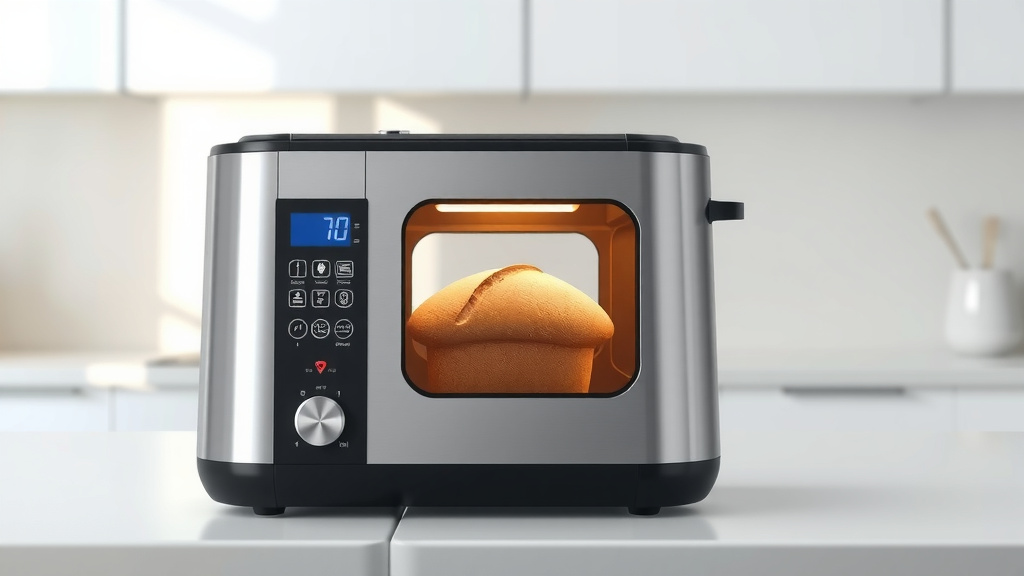
Yes, most modern bread makers do have an auto shut-off function, but it usually means the baking cycle ends and it transitions to a “keep warm” mode, not a complete power down.
While the actual baking process stops automatically, you’ll find your bread maker often keeps the bread warm for a period before fully shutting down.
TL;DR:
- Most bread makers have an automatic baking cycle shut-off.
- This usually leads into a “keep warm” function, not a full power-off.
- The “keep warm” mode helps prevent bread from getting soggy.
- Always check your specific model’s manual for exact timing and features.
- A full power-off might only happen after the “keep warm” cycle completes, or manually.
Do Bread Makers Have An Auto Shut-Off?
Many people wonder if their bread maker will just turn itself off when the bread is done. The short answer is yes, the baking cycle itself finishes automatically. After baking, most models transition into a keep warm cycle for about an hour. This isn’t a full power-down, but it does mean your bread won’t keep baking.
Understanding the “Auto Shut-Off” Feature
When we talk about “auto shut-off” for a bread maker, it’s a bit nuanced. It generally means the machine stops actively baking or cooking. It doesn’t always mean it instantly cuts all power to the unit.
Think of it like your car. When you reach your destination, the engine stops running, but the lights might stay on for a bit. Similarly, your bread maker finishes its primary task.
The Baking Cycle vs. Keep Warm
Your bread maker follows a programmed sequence: it mixes and kneads, then rises, and finally bakes. Once the baking timer counts down to zero, the heating element switches off.
At this point, many machines then activate a secondary timer for the “keep warm” phase. This is designed to hold your bread at a pleasant temperature, preventing it from cooling too quickly and getting damp.
Why Auto Shut-Off Matters for Your Bread
An automatic shut-off feature, even if it’s just the baking part, is vital. It stops the cooking process at the right time. This prevents your delicious loaf from turning into a hard, dry brick.
Imagine if you had to stand over your oven, watching the clock to turn it off perfectly. That would defeat the purpose of convenience, wouldn’t it? Bread makers handle this for you.
Safety First: Preventing Overbaking
Beyond taste, the automatic cycle completion is a safety feature. It stops the heating elements from continuously running. While modern appliances are safe, this automatic stop reduces any risk of overheating or scorching your bread (Many experts agree on this).
You can go about your day without worrying about a baking bread machine. This freedom is one of the bread maker’s best qualities.
How Modern Bread Makers Handle Shut-Off
Today’s bread makers are quite smart. They use internal programming to manage the entire bread-making process. This includes precise timing for each stage, including the moment to stop baking.
We found that most models have sophisticated microcontrollers. These are like tiny brains that follow your selected recipe program exactly.
Smart Sensors and Timers at Play
Inside your bread maker are various sensors and timers. These work together to monitor temperature and elapsed time. When the set baking time is up, the machine receives a signal to cease heating.
This ensures consistent results every time. You don’t need to guess if your bread is done; the machine knows when to stop the primary cooking cycle.
Different Models, Different Approaches
While the core idea is similar, how each bread maker handles the transition can vary. Some might simply beep and display “End” after baking, immediately starting the keep warm function. Others might have slightly different indicators.
We always suggest consulting your specific model’s manual. It’s the best source for knowing exactly how your machine behaves after baking.
The “Keep Warm” Function: A Key Difference
The “keep warm” function is often mistaken for a full auto shut-off. It’s important to understand these are distinct features. The keep warm function is there to benefit you, not just to save power.
It’s like setting your slow cooker to keep food warm after it’s cooked through. It’s a secondary, gentler heat.
Is “Keep Warm” the Same as Auto Shut-Off?
No, “keep warm” is not the same as a complete auto shut-off. When the bread maker is in “keep warm” mode, it’s still using a small amount of electricity. It provides a low, gentle heat to maintain the bread’s warmth.
A full auto shut-off means the machine completely powers down. This happens either manually by you, or automatically after the “keep warm” cycle completes its own timer.
When Does “Keep Warm” Kick In?
The “keep warm” cycle begins immediately after the baking cycle finishes. Its duration typically ranges from 30 minutes to an hour. We found that most common settings are around 60 minutes.
This allows you flexibility. You don’t have to rush to pull out your bread the second it’s done. You have a little buffer time, which is really handy on busy mornings.
| Feature | Description | Power Usage | Purpose |
|---|---|---|---|
| Baking Cycle Shut-Off | Heating elements turn off when baking time ends. | Stops high energy use. | Prevents overbaking and burning. |
| Keep Warm Function | Gentle heat applied for a set period (e.g., 60 mins). | Low, continuous energy use. | Maintains bread warmth and texture. |
| Full Auto Shut-Off | Machine completely powers down. | Zero energy use (standby only). | Complete power conservation. |
What Happens If Your Bread Maker Stays On?
Let’s say you forget your bread in the machine after the “keep warm” cycle finishes. What happens then? Typically, the machine will eventually cool down to room temperature.
The biggest problem isn’t usually a safety one after the baking cycle. It’s more about the quality of your bread. No one wants a stale loaf!
Overbaked, Dry Bread – A Common Pitfall
If your bread stays in the machine too long after the baking cycle, even if it’s just in “keep warm” mode, it can negatively impact its texture. The crust might become too hard or dry (research suggests this is common).
The steam and moisture inside the pan can also make the bottom of the loaf slightly soggy if left for extended periods without air circulation. Aim to remove your bread promptly for the best results.
Energy Use and Minor Safety Concerns
While minimal, the “keep warm” function does consume a small amount of electricity. If you’re conscious about energy consumption, unplugging your machine after the bread is removed is a good habit.
True safety concerns, like fire, are extremely rare with modern, properly functioning bread makers. However, it’s always wise to follow manufacturer guidelines and not leave any appliance running unattended for excessive periods.
Here are some tips for using your bread maker:
- Always remove bread shortly after the “keep warm” cycle ends.
- Unplug the machine when not in use to save energy.
- Clean the bread maker regularly for optimal performance.
- Store your bread properly once it’s cooled to maintain freshness.
- Experiment with different settings to find your perfect loaf.
Checking Your Bread Maker’s Specific Features
Each bread maker model is unique. What applies to one brand or model might not apply exactly to yours. That’s why being proactive about understanding your appliance is key.
Don’t assume all bread makers operate identically when it comes to automatic functions. A quick check can save you headaches later.
Your User Manual: Your Best Friend
The absolute best place to find accurate information about your bread maker’s auto shut-off and “keep warm” features is its user manual. This document contains all the details specific to your model.
Did you lose your manual? No worries! Many manufacturers provide digital copies online. A quick search with your bread maker’s brand and model number should usually bring it up.
Online Resources and Manufacturer Websites
If the manual is truly lost, consider checking the manufacturer’s official website. They often have dedicated support sections with FAQs, troubleshooting guides, and product specifications. Sometimes, even customer forums can offer insights from other users.
These resources can confirm how long the “keep warm” cycle lasts or if your machine has a feature that completely powers down after a certain period of inactivity.
Checklist for Your Bread Maker’s Shut-Off:
- Locate your bread maker’s user manual.
- Read the section on cycle completion and cooling.
- Note the duration of the “keep warm” function.
- Understand if there’s a full power-off after “keep warm.”
- Test the auto shut-off with a simple recipe if unsure.
- Set a timer on your phone as a backup reminder.
Conclusion
So, do bread makers have an auto shut-off? Yes, they absolutely do, in the sense that the primary baking process ends automatically. Most modern bread makers then seamlessly transition into a helpful “keep warm” mode, which extends for a period, typically around an hour.
This design prevents overbaking and keeps your bread perfectly warm until you’re ready to retrieve it. It’s a thoughtful feature that adds immense convenience to your baking routine. Remember to always consult your specific model’s manual to understand its unique cycles and timings for the best baking experience.
Does a bread maker fully power off automatically?
Many bread makers do not fully power off immediately after the baking cycle. Instead, they enter a “keep warm” mode. After this “keep warm” period, which can be around 60 minutes, some models will then completely power down. You may need to manually unplug the machine for a full power-off.
How long does the “keep warm” function typically last?
The “keep warm” function on most bread makers typically lasts for about 30 minutes to an hour after the baking cycle is complete. This duration can vary by brand and model, so checking your user manual is always the best approach.
Is it safe to leave bread in the bread maker on “keep warm” overnight?
While the “keep warm” function itself is generally safe, leaving bread in the machine overnight is not recommended. Extended time in the pan, even on a low heat, can lead to a dry, hard crust or a slightly soggy bottom. For best quality, remove bread within an hour or so of baking.
What should I do if my bread maker doesn’t seem to shut off?
If you suspect your bread maker isn’t shutting off correctly, first check your user manual for troubleshooting steps. Ensure you are selecting the correct program. If the issue persists, and the machine remains hot or powered on indefinitely after the full cycle, contact the manufacturer’s customer support for assistance.
Does the “keep warm” function use a lot of electricity?
The “keep warm” function uses a significantly lower amount of electricity compared to the active baking cycle. It provides a gentle, intermittent heat. However, for complete energy conservation, it’s a good habit to unplug your bread maker once you’ve removed your freshly baked loaf.
